
Why Your Google Ad Grant Isn't Spending Money (2026 Fix Guide)
Discover the seven biggest reasons church Google Ad Grants fail to spend their monthly budget—and learn how to increase impressions, clicks, and qualified visitors with practical optimization strategies.

WebRise Media Insight: Most churches don't lose visibility because they're ineligible—they lose it because their campaigns aren't optimized for search demand, Quality Score, and landing page relevance.
Every month, thousands of churches receive a $10,000 Google Ad Grant through Google Ad Grants for Churches—free advertising designed to help ministries reach people searching for worship services, counseling, food assistance, and community programs.
In practice, many churches spend only a small fraction of their monthly budget. If you're wondering why your Google Ad Grant isn't spending money, this guide explains the real reasons campaigns stall and the exact steps you can take to increase impressions, clicks, and qualified visitors.
Why Your Google Ad Grant Isn't Spending Money
Your Google Ad Grant isn't spending money because Google restricts spend to ads it considers highly relevant and click-worthy. Low search demand, broad or generic keywords, poor Quality Scores, the $2.00 bid cap, and weak landing pages all combine to suppress how often—and how much—your ads are allowed to spend.
Unlike a standard paid Google Ads account where you can simply raise your budget to spend more, Ad Grant accounts operate inside guardrails designed to prevent low-quality, spammy nonprofit ads from cluttering search results. That protection is good for searchers, but it means underperforming accounts get quietly starved of impressions rather than flagged with an obvious error.
Here's what's usually happening behind the scenes:
- Low search demand — keywords with little to no monthly search volume simply won't generate clicks, no matter how well-structured the campaign is.
- Poor keyword targeting — broad, generic terms trigger for irrelevant searches and get penalized for weak relevance.
- Low Quality Score — Google's 1–10 rating of your keywords, ads, and landing pages directly controls how often your ads are shown.
- The $2.00 bid cap — standard Ad Grants can't bid above $2.00 per click, which locks you out of competitive keywords entirely.
- Weak landing pages — slow, generic, or irrelevant pages tank Quality Score and conversion rates alike.
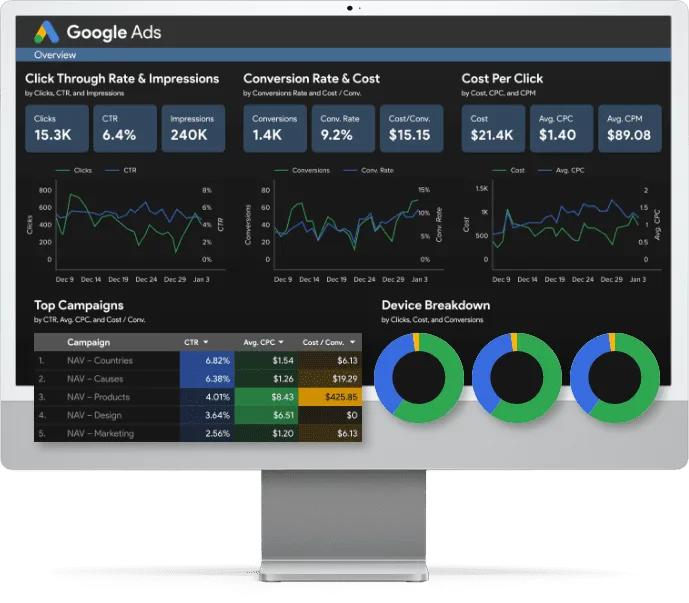
How Google Actually Decides Which Ads Spend
Direct Answer
Google decides which ads spend based on Ad Rank—a combination of your bid, Quality Score, and the expected impact of ad extensions. Quality Score itself is built from expected click-through rate, ad relevance, and landing page experience. Weak scores in any of these areas quietly cap your visibility and spend.
Think of it less like an auction and more like a relevance test. A church bidding $2.00 with a 9/10 Quality Score can regularly outrank a for-profit competitor bidding $8.00 with a 4/10 Quality Score. The grant's bid cap is only a disadvantage if the rest of your account is weak.
Here's what separates accounts that spend consistently from accounts that stall out:
| Healthy Account | Underperforming Account |
|---|---|
| Tightly themed ad groups (5–20 keywords) | Broad ad groups mixing unrelated topics |
| Specific, high-intent keywords | Generic one- or two-word keywords |
| Quality Score of 6+ on most keywords | Quality Score of 3 or below on most keywords |
| Dedicated, fast-loading landing pages | Ads pointing to the homepage |
| Conversion tracking installed and firing | No conversion tracking configured |
| Active weekly account management | Campaigns untouched for months |
The strongest church campaigns win because every keyword, ad, and landing page answers one specific search intent. Relevance—not budget—is what unlocks consistent spending.
7 Reasons Your Grant Isn't Spending
Most underperforming church Google Ad Grant accounts don't have one major problem—they have several small issues working together. These seven reasons account for the majority of low-spending nonprofit campaigns.

1. Keywords Have No Searches
The problem: Your keyword list looks reasonable, but almost nobody is actually typing those exact phrases into Google.
Why it happens: Churches often build keyword lists around internal language—ministry names, program titles, or denominational terms—rather than how the public actually searches.
How to fix it: Use Google Keyword Planner to confirm real monthly search volume before adding any keyword. Prioritize terms with at least modest, consistent demand.
Church example: A ministry bidding on "covenant renewal service" saw zero impressions for months. Switching to "church near me" and "Sunday service times" immediately unlocked traffic.
2. Broad One-Word Keywords
The problem: Single-word keywords like "church" or "faith" trigger for thousands of irrelevant searches.
Why it happens: Broad terms feel like they'll capture more traffic, but Google penalizes the resulting low relevance and low click-through rate.
How to fix it: Replace broad terms with specific, intent-rich phrases such as "nondenominational church in [city]" or "church for young families near me."
Church example: Replacing "church" with "Baptist church in Kanpur" (localized equivalent) tripled click-through rate within two weeks.
3. Low Quality Score
The problem: Keywords are technically active but rarely trigger because Google rates them poorly.
Why it happens: Quality Score drops when ad copy, keywords, and landing pages don't closely match each other.
How to fix it: Tighten ad groups so every keyword, headline, and landing page speaks to the same specific topic.
Church example: Grouping "grief support group," "divorce recovery," and "youth mentorship" into one ad group diluted relevance; splitting them into three focused ad groups raised Quality Score across the board.
4. Weak Landing Pages
The problem: Ads send visitors to a generic homepage instead of a page built for that specific search.
Why it happens: Building dedicated landing pages takes more effort than pointing every ad to the homepage, so it's often skipped.
How to fix it: Create a simple, fast, mobile-friendly Church Website page for each major ad group with a clear next step for the visitor.
Church example: A "new here" landing page with service times and a short welcome video outperformed the homepage by a wide margin on both Quality Score and conversions.
5. Poor Campaign Structure
The problem: One giant campaign tries to cover everything—services, events, counseling, outreach—at once.
Why it happens: It feels simpler to manage a single campaign, but it makes tight relevance nearly impossible.
How to fix it: Split campaigns by intent: worship services, counseling/support, community events, and general information.
Church example: Separating "counseling services" from "Sunday worship" into distinct campaigns let each one use its own dedicated Search Campaigns messaging and landing page.
6. Missing Conversion Tracking
The problem: Without conversion tracking, Google has no signal for what's actually working—and neither do you.
Why it happens: Conversion Tracking setup is often skipped during initial account creation and never revisited.
How to fix it: Track meaningful actions—form submissions, phone calls, directions requests—so Google can optimize toward real engagement.
Church example: After adding tracking for "Plan a Visit" form submissions, one ministry's account began qualifying for higher spend within a month.
7. Account Inactivity
The problem: Campaigns that haven't been touched in months slowly lose relevance and momentum.
Why it happens: Ad Grants are often set up once and left alone, with no one assigned to manage them ongoing.
How to fix it: Review search terms, pause underperforming keywords, and refresh ad copy on a regular cadence.
Church example: A ministry that resumed monthly reviews after a year of inactivity saw impressions climb within the first optimization cycle.
Google Ad Grant Spending Checklist
Use this checklist to quickly identify which foundational pieces might be holding your account back before diving into deeper optimization.
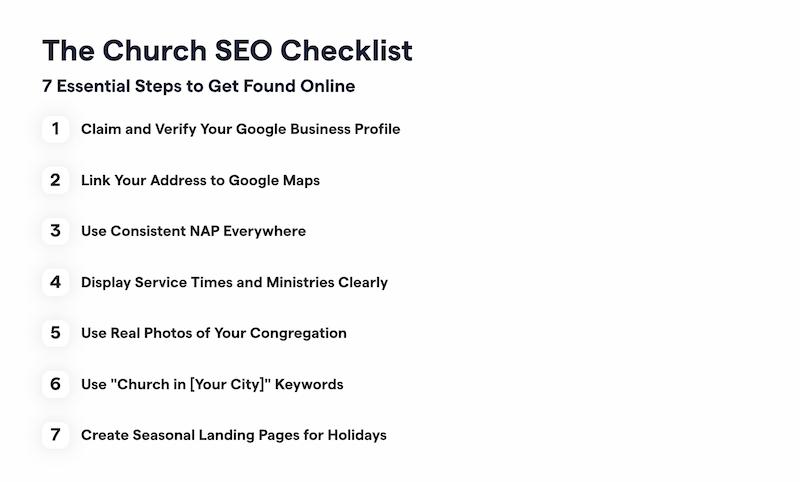
| Item | Why It Matters | Status |
|---|---|---|
| SSL certificate installed | Required for grant eligibility and trust signals | ☐ Check |
| Mobile responsiveness | Most searchers will visit from a phone | ☐ Check |
| Core Web Vitals passing | Slow pages hurt Quality Score and conversions | ☐ Check |
| Conversion tracking installed | Google needs signals to optimize spend | ☐ Check |
| Negative keywords added | Prevents wasted impressions on irrelevant searches | ☐ Check |
| 2+ ads per ad group | Required by grant policy; improves testing | ☐ Check |
| Geo targeting set correctly | Keeps ads focused on your real service area | ☐ Check |
| Relevant landing pages | Directly impacts Quality Score and conversions | ☐ Check |
Step-by-Step Optimization Guide
Follow these eight steps in order. Each one builds on the last, and together they address the most common reasons Ad Grant accounts underspend.
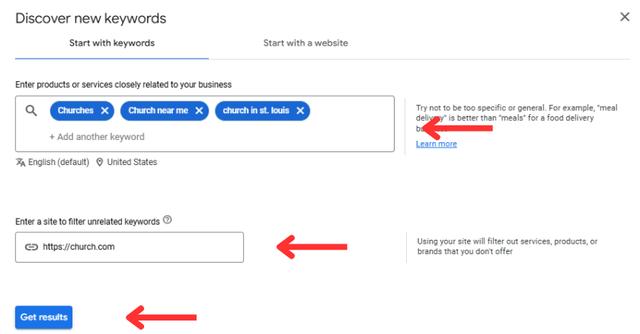
Audit Your Current Account
What to do: Review search terms, Quality Scores, and campaign structure before changing anything.
Why it matters: This tells you exactly where the account is losing performance.
Rebuild Keyword Lists Around Real Search Demand
What to do: Remove zero-volume and overly broad keywords, replacing them with specific, verified terms.
Why it matters: Higher-intent keywords create better Quality Scores and stronger visibility.
Restructure Campaigns by Intent
What to do: Separate worship, counseling, events, and general information into tightly themed campaigns.
Why it matters: Relevance improves when every campaign serves one audience and one purpose.
Write Ad Copy That Matches Keyword Intent
What to do: Make each headline feel like a direct answer to the search that triggered it.
Why it matters: Better ad relevance leads to stronger click-through rates and Quality Scores.
Build Dedicated Landing Pages
What to do: Every major ad group deserves its own page with a clear, single next step.
Why it matters: Landing page experience directly impacts Quality Score and conversions.
Learn more: Read our Google Ad Grant Management Guide for advanced campaign optimization.
Install & Verify Conversion Tracking
What to do: Confirm that form submissions, phone calls, and key actions are firing correctly.
Why it matters: Google can only optimize toward outcomes it can measure.
Add Negative Keywords Weekly
What to do: Review the Search Terms report and exclude irrelevant queries before they waste impressions.
Why it matters: Cleaner traffic improves relevance and protects your monthly budget.
Review Performance Every Month
What to do: Refresh ad copy, pause underperforming keywords, and monitor Quality Scores.
Why it matters: Google Ad Grants reward consistent management far more than a one-time setup.
If your account is approved but still underperforming, read our Google Ad Grant Management Guide to learn how churches improve Quality Score, maintain compliance, and maximize their $10,000 monthly grant.
Keyword Strategy for Higher Spend
The keywords you choose determine almost everything else—search volume, Quality Score, and relevance all flow from this decision. Below are three keyword categories every church campaign should include.
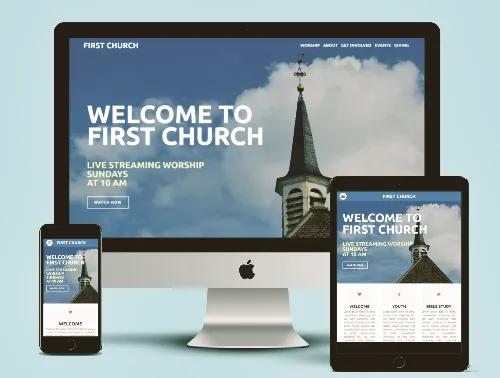
Commercial Keywords
| Keyword | Intent |
|---|---|
| churches near me | Ready to visit a service |
| church for young families | Evaluating a new church home |
| christian counseling services | Seeking a specific service |
| church small groups near me | Looking to get involved |
Informational Keywords
| Keyword | Intent |
|---|---|
| what to expect at church | First-time visitor research |
| how to find a church home | Early-stage decision making |
| christian grief support | Seeking guidance or resources |
| what is a nondenominational church | General understanding |
Local Keywords
| Keyword | Intent |
|---|---|
| Sunday service times [city] | Ready to attend |
| [city] church food pantry | Community need, high urgency |
| [city] nondenominational church | Local church search |
| [city] church youth group | Family-focused search |
Prioritize local and commercial keywords first—they tend to carry stronger intent and convert more reliably. Informational keywords are valuable for building topical relevance and supporting long-term visibility, but they should make up a smaller share of your budget until your account's Quality Score is stable.
Best Practices
The highest-performing church Google Ad Grant accounts aren't simply compliant—they're consistently optimized. These best practices improve Quality Score, increase qualified traffic, and help your ministry use more of its monthly grant without wasting budget.
Build Dedicated Landing Pages
Create focused pages for worship services, counseling, food pantry, and community outreach instead of sending every visitor to your homepage.
Organize Content into Pillars
Support your service pages with related blog articles that answer common questions and strengthen topical authority.
Strengthen Internal Linking
Connect relevant blogs and service pages naturally so visitors can continue learning while helping Google understand your site structure.
Optimize User Experience
Fast loading speeds, clear navigation, and mobile-friendly layouts improve both Quality Score and visitor engagement.
Track Meaningful Conversions
Measure form submissions, phone calls, and “Plan Your Visit” actions instead of focusing only on clicks.
Review Campaigns Monthly
Regular keyword cleanup and ad testing prevent performance from declining over time.
If you're looking for a complete growth strategy beyond Google Ads, explore our Church Digital Marketing Services to combine SEO, local search, content marketing, and conversion optimization.
10 Common Mistakes Churches Make
Even well-intentioned Google Ad Grant accounts often struggle because of preventable optimization mistakes. Fixing these issues improves Quality Score, increases relevance, and helps your campaigns spend more consistently.
Using Only Broad Keywords
Why it's harmful: Broad keywords trigger irrelevant searches and reduce click-through rate.
Fix: Use phrase and long-tail keywords with clear local intent.
Sending Every Ad to the Homepage
Why it's harmful: Generic pages lower landing page relevance.
Fix: Create dedicated pages for services, ministries, and events.
Ignoring Quality Score
Why it's harmful: Low scores reduce impressions even with available budget.
Fix: Improve ad relevance, expected CTR, and landing page experience.
Not Using Negative Keywords
Why it's harmful: Irrelevant searches waste visibility.
Fix: Review search terms weekly and exclude poor matches.
Skipping Conversion Tracking
Why it's harmful: Google can't optimize toward meaningful actions.
Fix: Track calls, contact forms, and “Plan Your Visit” submissions.
Poor Mobile Experience
Why it's harmful: Most church searches happen on smartphones.
Fix: Optimize page speed, readability, and tap-friendly layouts.
Mixing Unrelated Topics
Why it's harmful: Large ad groups reduce keyword relevance.
Fix: Separate worship, counseling, outreach, and events into focused campaigns.
Ignoring Local Search Intent
Why it's harmful: Generic keywords miss nearby visitors.
Fix: Include city, neighborhood, and “near me” variations naturally.
Never Updating Ad Copy
Why it's harmful: Performance gradually declines over time.
Fix: Refresh headlines and descriptions every few months.
Treating Ad Grants as “Set and Forget”
Why it's harmful: Google rewards active, well-managed accounts.
Fix: Schedule monthly optimization reviews and monitor campaign health.
Timeline & Expectations
Google Ad Grants rarely improve overnight. Sustainable growth comes from consistent optimization, stronger Quality Scores, better landing pages, and ongoing keyword refinement. The timeline below reflects realistic expectations rather than guaranteed rankings or traffic.

| Timeline | What You Should Expect |
|---|---|
| Week 1 | Complete account audit, remove poor keywords, improve campaign structure, and verify conversion tracking. |
| Month 1 | Higher impressions, improved ad relevance, and healthier Quality Scores across major ad groups. |
| Month 3 | More qualified clicks, stronger landing page performance, and better use of the monthly grant budget. |
| Month 6 | Consistent campaign optimization, improved visitor acquisition, and sustainable digital outreach growth. |
The goal isn't simply spending the full $10,000—it's using the grant to reach the right people with meaningful ministry opportunities while maintaining long-term compliance.
Frequently Asked Questions
1. Why is my Google Ad Grant only spending $50 per month?
Low monthly spend usually means your keywords have limited search volume, your Quality Score is weak, or your campaigns are too broad. The budget is available, but Google only serves ads when they're highly relevant.
2. Does Quality Score affect spending?
Yes. Quality Score is one of the strongest factors influencing impressions and Ad Rank. Higher scores generally improve visibility without increasing budget.
3. Should churches use broad match keywords?
Usually no. Phrase and exact match keywords provide better relevance and reduce wasted impressions for nonprofit campaigns.
4. Why do I have impressions but no clicks?
This usually indicates weak ad copy, poor search intent alignment, or headlines that don't match what users are searching for.
5. Can I lose my Google Ad Grant?
Yes. Accounts that fail compliance requirements or remain inactive for long periods can lose eligibility. Regular optimization helps maintain compliance.
6. Is the $10,000 budget guaranteed to spend?
No. Google provides access to the budget, but actual spend depends on search demand, relevance, and campaign quality.
7. How often should I optimize my campaigns?
Review search terms, Quality Score, and conversions at least once every month. Active management consistently outperforms “set and forget” campaigns.
8. Should every ministry have its own landing page?
Yes. Dedicated landing pages improve relevance and create a better experience for visitors searching for specific ministries or services.
9. Do Google Ad Grants work with Local SEO?
Absolutely. Combining local SEO with Google Ads helps churches appear in both organic and paid search results for nearby visitors.
10. Where should I start if my account isn't spending?
Start by auditing keywords, Quality Score, landing pages, and conversion tracking before changing budgets or creating new campaigns.
Still setting up your church's nonprofit advertising account? Follow our How to Apply for Google Ad Grants for Churches step-by-step guide to complete nonprofit verification, Google for Nonprofits enrollment, and your first compliant campaign.
Need Help Fixing Your Google Ad Grant?
Many churches are approved for Google Ad Grants but never come close to using the full $10,000 monthly budget. The difference is ongoing optimization, stronger keyword strategy, and compliant campaign management.
If you're new to the program, start with our Step-by-Step Application Guide.
Request a Free Google Ad Grant Audit