
 CHURCH MARKETING
Google Ad Grant Management for Churches (2026 Guide)
Many churches receive access to Google's $10,000 monthly Ad Grant, but very few use it effectively. The challenge isn't getting approved—it's managing the account well enough to attract real visitors while staying compliant with Google's nonprofit policies.
Google Ad Grant management for churches is the ongoing process of building, optimizing, and maintaining Google Search campaigns that connect local people with your ministry. When managed correctly, the grant helps churches reach families searching for worship services, community programs, counseling, food assistance, youth ministries, and other outreach opportunities without paying for ad clicks.
In this guide, you'll learn how the program works, why many church accounts underperform, the compliance rules that matter most, and the exact optimization process used to turn free advertising into meaningful ministry growth.
WebRise Media Insight
The biggest misconception is that getting approved is the hard part. In reality, most churches struggle because their campaigns aren't actively optimized after approval. Management—not setup—is what determines long-term success.
Why Google Ad Grant Management Matters
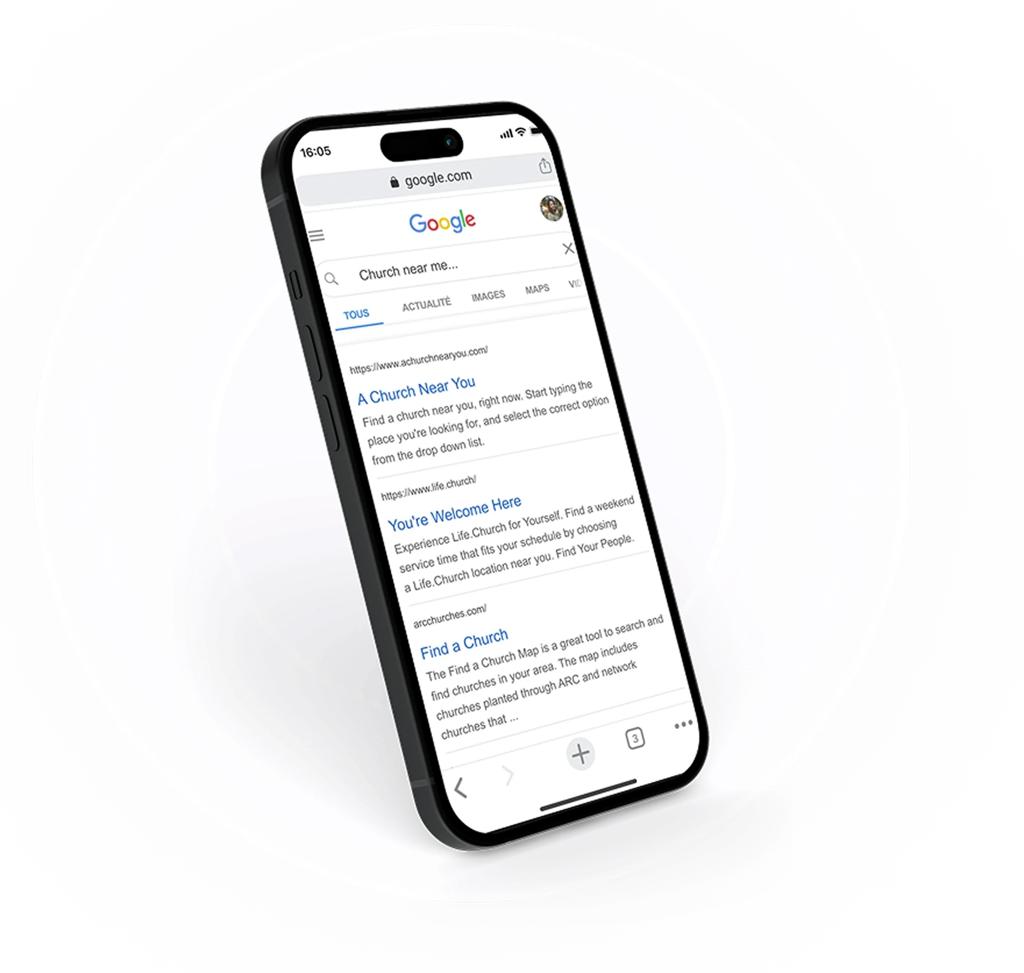
People don't discover churches the way they did twenty years ago. Today, someone experiencing a difficult season is much more likely to search Google than ask a neighbor for a recommendation.
That moment of search intent is incredibly valuable. A church appearing for searches like “grief support group near me”, “Sunday service near me”, or “food pantry near me” reaches people who are actively looking for hope, community, and practical help.
Well-managed Google Ad Grant campaigns also build trust. Before visiting a church, most people research service times, children's ministry, parking, beliefs, and reviews. Your ads and landing pages should answer those questions immediately.
How Google Evaluates Church Ad Grant Accounts
Google doesn't reward the biggest church—it rewards the most relevant experience. Every successful church campaign is built on three core principles.
Relevance
Your keyword, advertisement, and landing page must match perfectly. If someone searches for a food pantry, they should arrive on your food pantry page—not your homepage.
Website Quality
Your church website should be secure (HTTPS), mobile-friendly, fast-loading, and easy to navigate. A helpful website improves both ad performance and visitor trust.
Conversion Tracking
Google wants to know what success looks like. Track meaningful actions such as prayer requests, event registrations, volunteer forms, phone calls, and “Plan Your Visit” submissions.

Need help setting up or optimizing your account? Visit our Google Ad Grants for Churches service to learn how we help churches maximize their $10,000 monthly grant.
Complete Google Ad Grant Management Checklist
Before launching or optimizing your church's Google Ad Grant account, make sure these essentials are in place. A strong foundation improves compliance, Quality Score, and the overall visitor experience.
Website & Technical Essentials
| Checklist Item | Why It Matters |
|---|---|
| HTTPS Security | Protects visitor data and meets Google's website quality expectations. |
| Mobile-Friendly Design | Most people searching for churches are using smartphones. |
| Fast Loading Pages | Improves user experience and reduces bounce rate. |
| Clear Navigation | Visitors should immediately find service times, ministries, and contact details. |
| Dedicated Landing Pages | Every ad should lead to the most relevant ministry page instead of the homepage. |
SEO & Content Checklist
One H1 Per Page
Every landing page should focus on a single primary topic.
Unique Meta Titles
Increase click-through rates from Google Search.
Descriptive Alt Text
Improves accessibility while helping search engines understand images.
Internal Links
Connect blogs, ministry pages, and your Google Ad Grants service page.
Helpful Content
Answer real questions church visitors are searching for.
Clean URL Structure
Use readable URLs without unnecessary dates or numbers.
Google Ads Essentials
- Install conversion tracking before launching campaigns.
- Create separate campaigns for each ministry.
- Use negative keywords to eliminate irrelevant searches.
- Review search terms every month.
- Monitor click-through rate and Quality Score regularly.
Need help reviewing your setup? Explore our Google Ad Grants for Churches service for a complete compliance and optimization audit.
Step-by-Step Google Ad Grant Optimization Guide
Successful Google Ad Grant management isn't about creating one campaign and forgetting it. The strongest church accounts improve every month using data, keyword research, and landing page optimization.
Verify Your Nonprofit Status
Before receiving the grant, your church must qualify through Google for Nonprofits. Ensure your nonprofit documentation and website are complete before beginning the application.
Install Conversion Tracking
Track meaningful actions instead of clicks. Prayer requests, event registrations, phone calls, and “Plan Your Visit” forms are excellent conversion goals.
Build Ministry-Based Campaigns
Create separate campaigns for worship services, food pantries, youth ministry, counseling, and community outreach instead of placing everything into one campaign.
Review Performance Every Month
Analyze search terms, remove irrelevant keywords, improve ad copy, and update landing pages based on real visitor behavior.
Churches that follow this monthly optimization process generally create a more sustainable outreach strategy than churches that treat the grant as a one-time setup.
Looking for expert support? Learn more about our Google Ad Grants for Churches service and how WebRise Media helps churches maximize their monthly grant.
Keyword Research for Church Google Ads
Successful Google Ad Grant campaigns begin with understanding what people are actually searching for. Instead of targeting broad terms like “church,” focus on keywords that match specific ministries, outreach programs, and community needs.
Commercial Keywords
| Keyword | Search Intent |
|---|---|
| Google Ad Grant management for churches | Commercial |
| Google Ad Grants for churches | Commercial |
| Church Google Ads agency | Commercial |
| Church marketing agency | Commercial |
| Google Grant consultant for churches | Commercial |
Informational Keywords
| Keyword | Search Intent |
|---|---|
| What is Google Ad Grant? | Informational |
| Google Ad Grant eligibility | Informational |
| Church marketing ideas | Informational |
| How Google Ad Grants work | Informational |
| Google Grant compliance | Informational |
Local Church Keywords
| Keyword | Search Intent |
|---|---|
| Church near me | Local |
| Sunday service near me | Local |
| Christian counseling near me | Local |
| Church food pantry near me | Local |
| Youth group near me | Local |
Best Practices for Church Google Ad Grants
The churches that generate consistent results don't simply launch campaigns—they build a complete digital ecosystem where ads, landing pages, SEO, and ministry content work together.
Build Topic Clusters
Create educational blog posts around Google Ad Grants, church SEO, outreach, and ministry marketing. Every article should naturally support your core service pages.
Create Dedicated Landing Pages
Instead of sending every visitor to your homepage, create pages for worship services, food pantry, counseling, youth ministry, and events.
Review Campaigns Every Month
Search behavior changes throughout the year. Regular optimization helps improve keyword targeting, ad relevance, and overall campaign performance.
Use Internal Links Strategically
Connect related blogs with your Google Ad Grants for Churches service page to strengthen topical authority.
10 Common Mistakes Churches Make
Many churches lose valuable opportunities because of small optimization mistakes. Here are the most common issues we see.
1. Targeting “Church”
Broad keywords attract irrelevant traffic instead of local visitors.
2. Sending Ads to the Homepage
Every campaign should have its own relevant landing page.
3. Ignoring Conversion Tracking
Without conversions, Google can't optimize effectively.
4. No Negative Keywords
Irrelevant searches waste valuable grant budget.
5. Slow Mobile Website
Mobile users expect pages to load within seconds.
6. Outdated Service Times
Incorrect information quickly reduces visitor trust.
7. Weak Calls-to-Action
Visitors should immediately know how to plan a visit or contact the church.
8. One Campaign for Everything
Separate ministries deserve separate campaigns and keywords.
9. Never Reviewing Search Terms
Monthly search term reviews reveal new opportunities and irrelevant traffic.
10. Treating the Grant as “Set & Forget”
Long-term success comes from continuous optimization, not one-time setup.
How Long Does Google Ad Grant Management Take?
Google Ad Grants is a long-term outreach strategy, not an overnight marketing tactic. The timeline below shows realistic expectations for churches beginning with a new or existing grant account.
| Timeline | What to Expect |
|---|---|
| Month 1 | Verify eligibility, install conversion tracking, and build initial campaigns. |
| Month 3 | Optimize keywords, improve ad copy, and refine landing pages using real search data. |
| Month 6 | Expand campaigns into additional ministries and improve Quality Scores. |
| Month 12 | Maintain a mature, compliant outreach system with continuous optimization. |
Frequently Asked Questions
Is Google Ad Grants really free for churches?
Yes. Eligible nonprofit churches can receive up to $10,000 per month in Google Search advertising through Google for Nonprofits. The grant covers advertising costs, while management can be handled internally or by a marketing agency.
Can churches lose their Google Ad Grant?
Yes. Accounts that become inactive, violate Google policies, or fail to maintain compliance requirements may lose eligibility. Regular optimization helps keep accounts healthy.
Do we need a new website before applying?
Not necessarily. Your website should be secure, mobile-friendly, and contain helpful content, but many churches qualify without redesigning their entire website.
What's the difference between Google Ad Grants and regular Google Ads?
Google Ad Grants provides free Search advertising for eligible nonprofits, while regular Google Ads is a paid advertising platform with additional campaign types such as Display and YouTube.
What conversions should churches track?
The most valuable conversions include Plan Your Visit forms, prayer requests, event registrations, volunteer applications, phone calls, and contact form submissions.
About WebRise Media
Request a Free Google Ad Grant Audit
Already have a Google Ad Grant? We'll review your eligibility, campaign structure, keyword targeting, conversion tracking, and compliance opportunities—completely free.
Get Your Free Audit